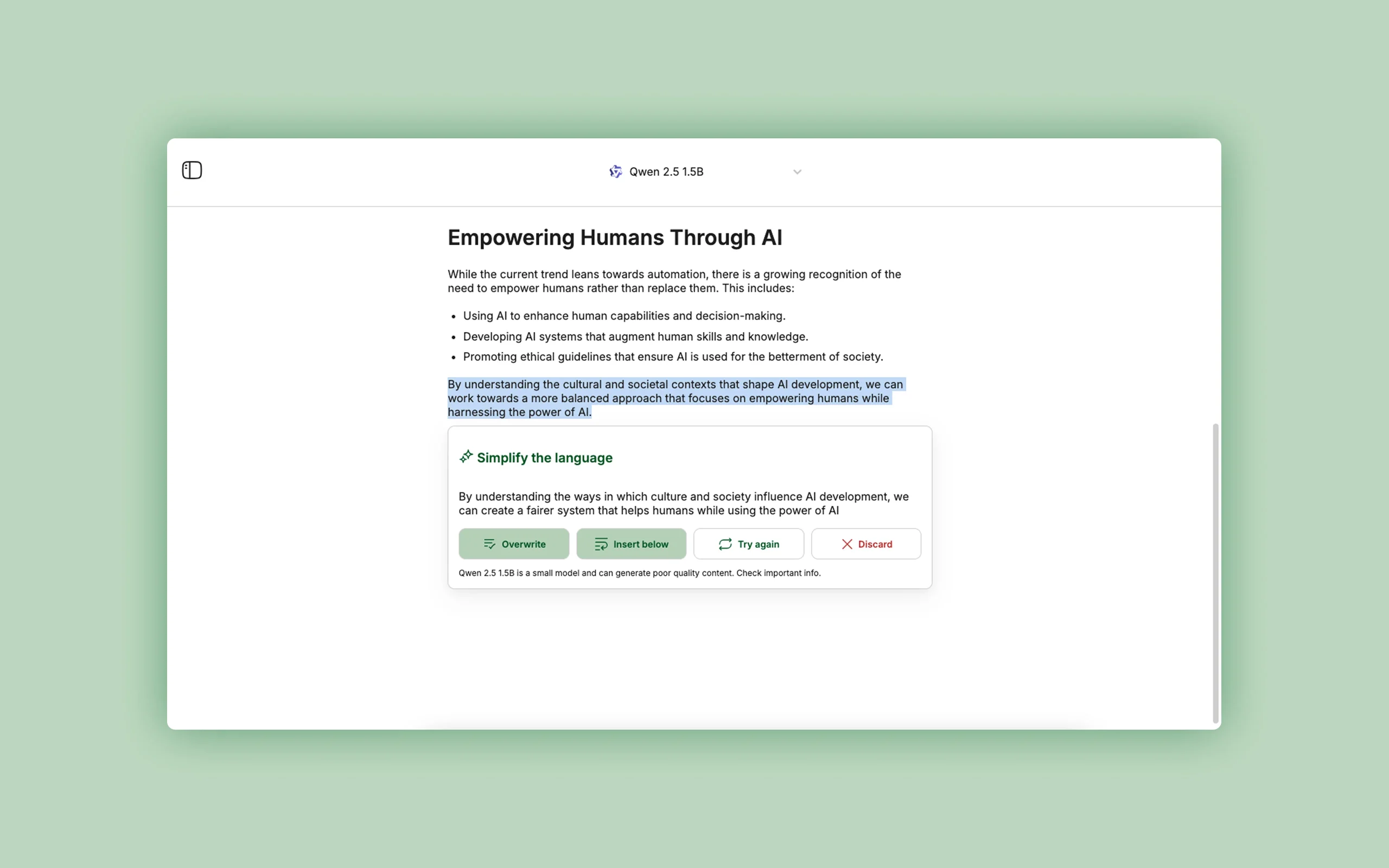
RewriteBar works from the macOS menu bar so users can transform selected text without moving it into a separate chat. It supports common writing actions, customizable shortcuts, custom prompts, many cloud AI providers, bring-your-own-key connections, and local models through tools such as Ollama.
The privacy level depends on the selected provider. Local models can keep text on the machine, while cloud providers receive the submitted passage under their own terms. Protect API keys, review application permissions, confirm meaning after rewrites and translations, and avoid sending confidential text to an unapproved model.
Research basis:
This is a source-based directory listing prepared from public product information; it is not represented as a hands-on test. Last updated August 8, 2026. Read our methodology.
How to use this tool
Define the owner, success metric, approval boundary, and rights before providing selected Mac text, desired action, provider or local model, and any custom workflow constraints to RewriteBar.
Configure a small pilot around System-wide macOS text actions and Grammar and clarity correction using minimum permissions and non-sensitive samples.
Test representative workflows for Correct an email without changing apps and Translate selected text quickly, recording inputs, settings, usage, and expected results.
Review rewrites, grammar fixes, translations, summaries, comparisons, and reusable chained text actions for accuracy, privacy, security, originality, accessibility, and commercial rights before use.
Monitor costs, limits, integrations, and product changes; BYOK and local models have separate security and cost implications; compare changes and never expose secrets in selected text.
Core Features
✓System-wide macOS text actions
✓Grammar and clarity correction
✓Tone and style rewriting
✓Translation and summarization
✓Custom AI actions
✓Keyboard shortcuts
✓Multiple cloud AI providers
✓Local model and BYOK support
Use Cases
#1Correct an email without changing apps
#2Translate selected text quickly
#3Create a reusable support-response action
#4Summarize a long passage
#5Run private rewrites with a local model
Frequently Asked Questions
RewriteBar is a lightweight macOS writing assistant for rewriting selected text, correcting grammar, changing tone, translating, summarizing, and running custom actions.
System-wide macOS text actions, Grammar and clarity correction, Tone and style rewriting, Translation and summarization, Custom AI actions.
Correct an email without changing apps, Translate selected text quickly, Create a reusable support-response action, Summarize a long passage.
selected Mac text, desired action, provider or local model, and any custom workflow constraints.
rewrites, grammar fixes, translations, summaries, comparisons, and reusable chained text actions.
a no-card trial precedes a $29 perpetual Standard license.
Yes. The current record includes Free Trial; verify live limits before relying on it.
Confirm billing, renewal, taxes, credits, storage, support, cancellation, refunds, privacy, and commercial rights on the official checkout.
BYOK and local models have separate security and cost implications; compare changes and never expose secrets in selected text.
No. Responsible use still requires source permission, factual and quality review, privacy and security checks, policy compliance, and final human approval.
RewriteBar Support Email & Customer service contact & Refund contact etc.