AI tools can help teachers, instructional leaders, and education teams complete recurring work with less manual effort. The strongest options address specific needs across lesson planning, differentiation, feedback, research, presentations, and classroom organization.
This guide compares 15 active products using current official product information available in August 2026. Each tool was selected for a clear role, not simply because it includes a chatbot or uses AI in its marketing.
AI output still requires review. Users should verify important facts, protect sensitive information, respect applicable policies, and keep people responsible for consequential decisions.
Quick Picks
- Best for teacher planning: MagicSchool
- Best for guided teaching support: Khanmigo
- Best for in-workflow teaching assistance: Brisk Teaching
- Best for interactive lessons: Curipod
- Best for general assistance: ChatGPT
- Best for long documents and planning: Claude
- Best for Google productivity workflows: Google Workspace with Gemini
- Best for Microsoft productivity workflows: Microsoft Copilot
- Best for source-grounded study and synthesis: NotebookLM
- Best for visual content: Canva AI
- Best for clear business writing: Grammarly
- Best for source-linked research: Perplexity
- Best for fast presentation creation: Gamma
- Best for meeting transcription: Otter.ai
- Best for knowledge and documentation: Notion AI
1. MagicSchool

 MagicSchoolBest for teachers and educatorsSee the Tool Details →
Best for: Teacher planning
MagicSchool provides education-focused AI tools for lesson planning, assessments, differentiation, feedback, and classroom materials.
For teachers, instructional leaders, and education teams, it is most useful when its supported capabilities match a defined workflow and the result can be reviewed before it is used or published.
How teachers, instructional leaders, and education teams can use MagicSchool
- Draft lesson plans.
- Create rubrics and assessments.
- Differentiate instructional material.
- Prepare family and student communication.
Main Benefit
Its main benefit is focused support for teacher planning while keeping the work editable and subject to human review.
2. Khanmigo
Best for: Guided teaching support
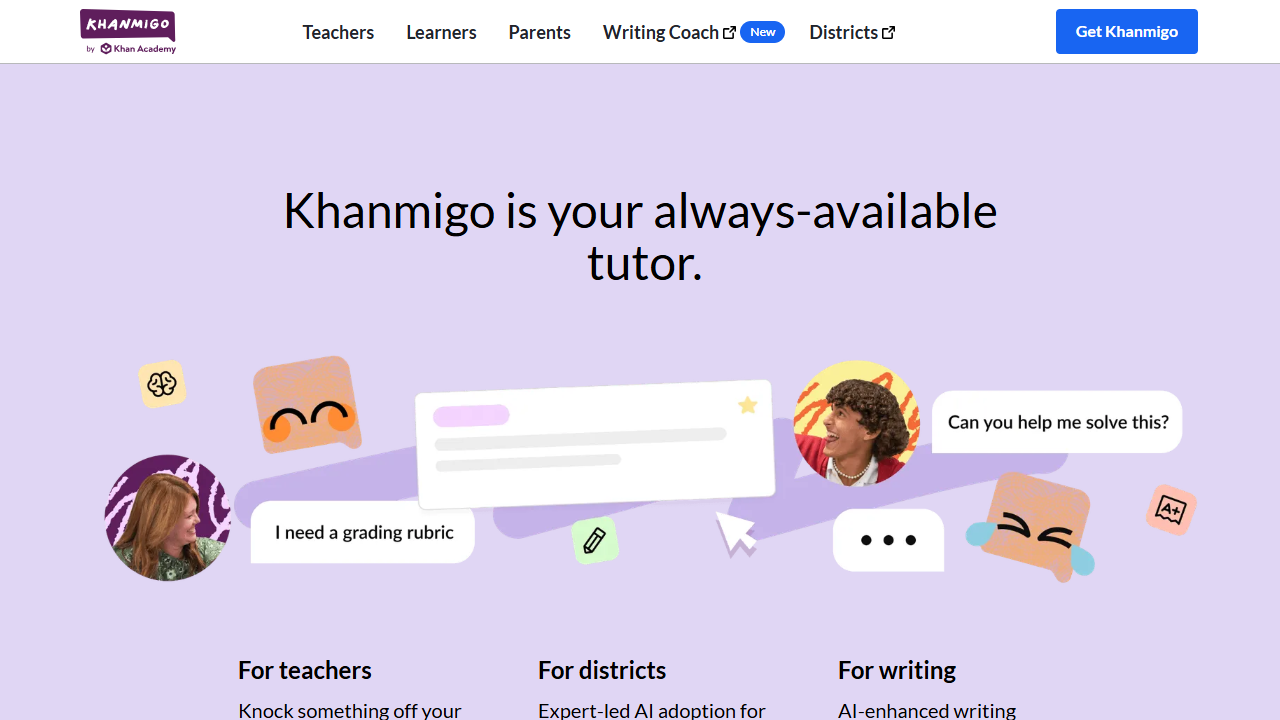
Khanmigo is Khan Academy's AI-powered tutor and teaching assistant for instructional planning and guided learning.
For teachers, instructional leaders, and education teams, it is most useful when its supported capabilities match a defined workflow and the result can be reviewed before it is used or published.
How teachers, instructional leaders, and education teams can use Khanmigo
- Generate lesson hooks and questions.
- Plan differentiated activities.
- Create exit tickets and rubrics.
- Guide students without simply giving answers.
Main Benefit
Its main benefit is focused support for guided teaching support while keeping the work editable and subject to human review.
3. Brisk Teaching

Best for: In-workflow teaching assistance
Brisk Teaching helps educators create resources, adapt reading levels, provide feedback, and work inside common Google and Microsoft tools.
For teachers, instructional leaders, and education teams, it is most useful when its supported capabilities match a defined workflow and the result can be reviewed before it is used or published.
How teachers, instructional leaders, and education teams can use Brisk Teaching
- Adapt online texts for learners.
- Create quizzes and slides.
- Give feedback on student writing.
- Translate or differentiate resources.
Main Benefit
Its main benefit is focused support for in-workflow teaching assistance while keeping the work editable and subject to human review.
4. Curipod

 CuripodBest for teachers and educatorsSee the Tool Details →
Best for: Interactive lessons
Curipod helps teachers create interactive, discussion-based lessons with writing activities and teacher-controlled AI feedback.
For teachers, instructional leaders, and education teams, it is most useful when its supported capabilities match a defined workflow and the result can be reviewed before it is used or published.
How teachers, instructional leaders, and education teams can use Curipod
- Build interactive lesson sequences.
- Collect student responses.
- Support discussion and writing practice.
- Review participation and feedback.
Main Benefit
Its main benefit is focused support for interactive lessons while keeping the work editable and subject to human review.
5. ChatGPT

 ChatGPTBest for teachers and educatorsSee the Tool Details →
Best for: General assistance
ChatGPT supports writing, research, analysis, file-based work, brainstorming, and structured problem-solving across many workflows.
For teachers, instructional leaders, and education teams, it is most useful when its supported capabilities match a defined workflow and the result can be reviewed before it is used or published.
How teachers, instructional leaders, and education teams can use ChatGPT
- Draft structured content from notes.
- Summarize documents and conversations.
- Analyze uploaded information.
- Build reusable instructions for recurring work.
Main Benefit
Its main benefit is focused support for general assistance while keeping the work editable and subject to human review.
6. Claude

 ClaudeBest for teachers and educatorsSee the Tool Details →
Best for: Long documents and planning
Claude is a general AI assistant for writing, analysis, research, coding, and document-heavy work that benefits from substantial context.
For teachers, instructional leaders, and education teams, it is most useful when its supported capabilities match a defined workflow and the result can be reviewed before it is used or published.
How teachers, instructional leaders, and education teams can use Claude
- Compare long documents.
- Develop detailed plans and briefs.
- Synthesize feedback and research.
- Create structured drafts for review.
Main Benefit
Its main benefit is focused support for long documents and planning while keeping the work editable and subject to human review.
7. Google Workspace with Gemini

 Google Workspace with GeminiBest for teachers and educatorsSee the Tool Details →
Best for: Google productivity workflows
Gemini is integrated with Google Workspace applications to assist with email, documents, spreadsheets, presentations, meetings, and files.
For teachers, instructional leaders, and education teams, it is most useful when its supported capabilities match a defined workflow and the result can be reviewed before it is used or published.
How teachers, instructional leaders, and education teams can use Google Workspace with Gemini
- Draft and summarize in Gmail and Docs.
- Analyze information in Sheets.
- Prepare material in Slides.
- Find information across Drive.
Main Benefit
Its main benefit is focused support for Google productivity workflows while keeping the work editable and subject to human review.
8. Microsoft Copilot

Best for: Microsoft productivity workflows
Microsoft Copilot provides AI assistance across Microsoft applications for drafting, summarizing, analysis, meetings, and presentations.
For teachers, instructional leaders, and education teams, it is most useful when its supported capabilities match a defined workflow and the result can be reviewed before it is used or published.
How teachers, instructional leaders, and education teams can use Microsoft Copilot
- Draft documents and messages.
- Summarize meetings and files.
- Analyze spreadsheet information.
- Create presentation outlines.
Main Benefit
Its main benefit is focused support for Microsoft productivity workflows while keeping the work editable and subject to human review.
9. NotebookLM

 NotebookLMBest for teachers and educatorsSee the Tool Details →
Best for: Source-grounded study and synthesis
NotebookLM answers questions and creates summaries from user-provided sources, keeping the work connected to the supplied material.
For teachers, instructional leaders, and education teams, it is most useful when its supported capabilities match a defined workflow and the result can be reviewed before it is used or published.
How teachers, instructional leaders, and education teams can use NotebookLM
- Organize a source collection.
- Ask questions across documents.
- Create study guides and summaries.
- Trace answers back to sources.
Main Benefit
Its main benefit is focused support for source-grounded study and synthesis while keeping the work editable and subject to human review.
10. Canva AI

 Canva AIBest for teachers and educatorsSee the Tool Details →
Best for: Visual content
Canva AI combines design templates with AI-assisted writing, image creation, editing, resizing, and presentation workflows.
For teachers, instructional leaders, and education teams, it is most useful when its supported capabilities match a defined workflow and the result can be reviewed before it is used or published.
How teachers, instructional leaders, and education teams can use Canva AI
- Create branded graphics.
- Prepare presentations and proposals.
- Resize approved designs for channels.
- Edit images and short videos.
Main Benefit
Its main benefit is focused support for visual content while keeping the work editable and subject to human review.
11. Grammarly

 GrammarlyBest for teachers and educatorsSee the Tool Details →
Best for: Clear business writing
Grammarly provides grammar, clarity, tone, rewriting, and generative writing support across common communication workflows.
For teachers, instructional leaders, and education teams, it is most useful when its supported capabilities match a defined workflow and the result can be reviewed before it is used or published.
How teachers, instructional leaders, and education teams can use Grammarly
- Improve clarity and correctness.
- Adjust tone for an audience.
- Rewrite lengthy messages.
- Apply consistent terminology.
Main Benefit
Its main benefit is focused support for clear business writing while keeping the work editable and subject to human review.
12. Perplexity

 PerplexityBest for teachers and educatorsSee the Tool Details →
Best for: Source-linked research
Perplexity searches current web information and produces synthesized answers with visible citations for follow-up verification.
For teachers, instructional leaders, and education teams, it is most useful when its supported capabilities match a defined workflow and the result can be reviewed before it is used or published.
How teachers, instructional leaders, and education teams can use Perplexity
- Research markets and competitors.
- Compare current options.
- Open and verify cited sources.
- Organize findings into a briefing.
Main Benefit
Its main benefit is focused support for source-linked research while keeping the work editable and subject to human review.
13. Gamma

 GammaBest for teachers and educatorsSee the Tool Details →
Best for: Fast presentation creation
Gamma turns prompts, outlines, and source material into editable presentations, visual documents, and web-based narratives.
For teachers, instructional leaders, and education teams, it is most useful when its supported capabilities match a defined workflow and the result can be reviewed before it is used or published.
How teachers, instructional leaders, and education teams can use Gamma
- Generate a first presentation draft.
- Convert reports into visual summaries.
- Restyle content for an audience.
- Share or export approved decks.
Main Benefit
Its main benefit is focused support for fast presentation creation while keeping the work editable and subject to human review.
14. Otter.ai

 Otter.aiBest for teachers and educatorsSee the Tool Details →
Best for: Meeting transcription
Otter.ai records and transcribes meetings, creates summaries, identifies action items, and makes conversations searchable.
For teachers, instructional leaders, and education teams, it is most useful when its supported capabilities match a defined workflow and the result can be reviewed before it is used or published.
How teachers, instructional leaders, and education teams can use Otter.ai
- Capture meeting transcripts.
- Create summaries and action items.
- Search prior conversations.
- Share notes with participants.
Main Benefit
Its main benefit is focused support for meeting transcription while keeping the work editable and subject to human review.
15. Notion AI

 Notion AIBest for teachers and educatorsSee the Tool Details →
Best for: Knowledge and documentation
Notion AI works inside Notion pages, databases, projects, and team knowledge to support search, writing, summaries, and meeting notes.
For teachers, instructional leaders, and education teams, it is most useful when its supported capabilities match a defined workflow and the result can be reviewed before it is used or published.
How teachers, instructional leaders, and education teams can use Notion AI
- Create operating documents.
- Search approved workspace knowledge.
- Summarize project updates.
- Turn notes into tasks and decisions.
Main Benefit
Its main benefit is focused support for knowledge and documentation while keeping the work editable and subject to human review.
How We Chose the Best AI Tools for Teachers And Educators
- Practical usefulness: The product needed to solve a recurring task for the intended audience.
- Source verification: Core capabilities and current positioning were checked against official product pages or documentation.
- Workflow fit: The tool needed a clear place in lesson planning, differentiation, feedback, research, presentations, and classroom organization.
- Distinctive value: Specialized products were preferred when they handled a task better than a general assistant.
- Human control: The workflow needed to allow review, correction, or escalation before consequential use.
- Current availability: The selected product and its described core function were active when researched in August 2026.
How to Choose the Right AI Tool for Teachers And Educators
Start with the most expensive or repetitive bottleneck. For broad assistance, compare MagicSchool, Khanmigo, Brisk Teaching, Curipod, ChatGPT according to the source material and review controls required by the workflow.
When the need is more specialized, evaluate Claude, Google Workspace with Gemini, Microsoft Copilot, NotebookLM, Canva AI using a real sample task. Check whether the output is accurate, editable, and easy to integrate into the existing process.
Add tools such as Grammarly, Perplexity, Gamma, Otter.ai, Notion AI only when they address a separate need. Avoid paying for overlapping products that the team will not use consistently.
Tips for Using AI Tools Responsibly
- Review generated content, analysis, recommendations, and customer-facing messages before use.
- Verify facts, citations, calculations, dates, and current product information with reliable primary sources.
- Do not upload sensitive personal, financial, educational, customer, or confidential data without appropriate controls.
- Test automations with low-risk examples and define exception handling before enabling consequential actions.
- Keep people responsible for decisions involving customers, students, employees, finance, compliance, or safety.
- Measure whether the tool saves time or improves quality before expanding it to additional workflows.
Frequently Asked Questions
What is the best AI tool for teachers and educators?
The best starting point depends on the workflow. MagicSchool is the leading choice in this guide for teacher planning, while specialized tools may be stronger for narrower tasks.
Are free AI tools useful for teachers and educators?
Free access can be useful for testing a workflow, but features and limits change. Confirm current official plan details and data controls before relying on a free tier for recurring or sensitive work.
How should I choose between general and specialized AI tools?
Use a general assistant for flexible drafting, research, and analysis. Choose a specialized product when the task depends on dedicated data, structured workflows, domain-specific controls, or integration with an existing system.
Can these AI tools automate complete workflows?
Some tools can automate multiple steps, but reliable automation requires stable inputs, permissions, monitoring, exception handling, and a human approval point for high-impact actions.
How many AI tools do I need?
Most users do not need all 15 products. Start with one broad assistant and one specialized tool for the highest-value bottleneck, then add another only when it solves a separate recurring problem.
Can AI replace professional judgment?
No. AI can accelerate routine work and surface useful options, but people remain responsible for accuracy, context, ethics, compliance, and decisions that materially affect others.
Final Thoughts
The best AI tools for teachers and educators are the ones connected to a clear workflow and reliable source material. Begin with a measurable task, review the result, and expand only when the tool consistently improves speed or quality.
Continue exploring: Education & Translation AI tools