Login
Cursor CU
☆☆☆☆☆ New ·3 Saved
Introduction: Cursor helps users write, rewrite, or summarize text.
Added on: 2026-08-01
Monthly Visitors: 85.3K
Social & Email:
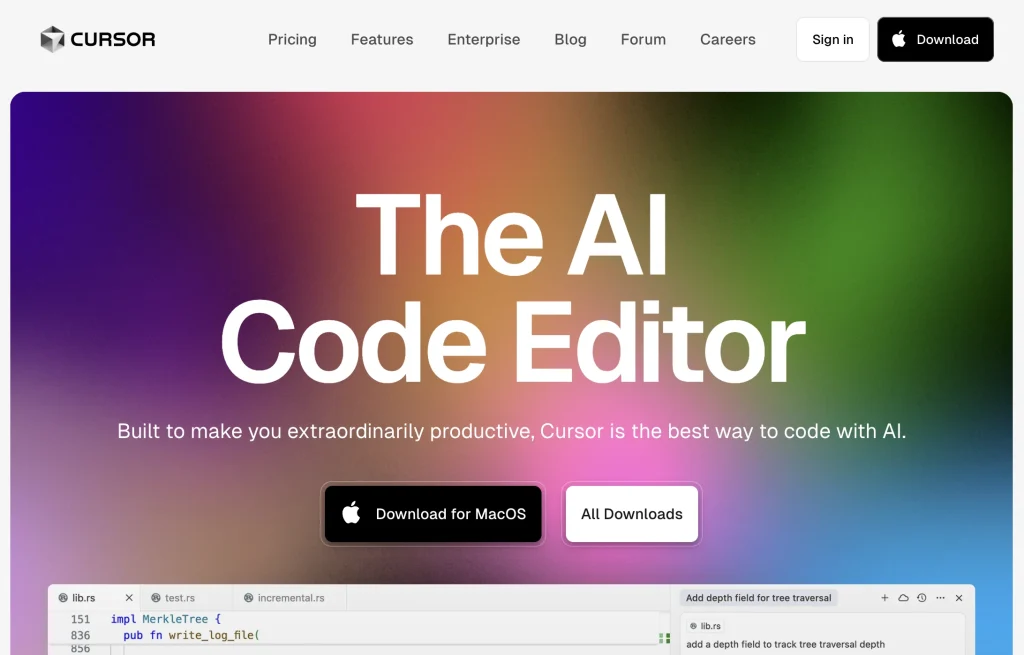
Cursor screenshot
us United States
Freemium
114
3
New
Product Information FAQ Reviews Pricing Embed Alternatives
Cursor Product Information

What is Cursor?

Cursor is an AI-first code editor designed for pair-programming. It offers features that aim to enhance productivity and efficiency for software engineers.

The tool allows for easy migration of favorite vscode extensions, themes, and keybindings with just one click. Cursor also offers a local mode option, ensuring that none of the user's data is stored in their servers or logs, prioritizing data privacy and security.With Cursor, developers can chat with their projects, making it easier to find code solutions tailored to their specific repositories.

The tool also provides the ability to ask about the codebase, saving time by identifying the right place to start a change or the correct method to call.

Developers can browse documentation, code definitions, and files seamlessly, without the need to leave the editor.One of the key features of Cursor is the AI-powered code generation capability.

Research basis: This is a source-based directory listing prepared from public product information; it is not represented as a hands-on test. Last updated August 4, 2026. Read our methodology.


How to use this tool

  1. Open the official Cursor website from the saved listing.
  2. Prepare the text, file, prompt, idea, or account context required to write, rewrite, or summarize text.
  3. Use the workflow described in the cached source listing for the main task.
  4. Review the generated or returned result for accuracy and fit.
  5. Adjust the input and repeat the workflow when the result needs refinement.

Core Features

  • Generates and explains source code.
  • An AI-first code editor designed for pair-programming.
  • Offers features that aim to enhance productivity and efficiency for software engineers.
  • Allows for easy migration of favorite vscode extensions, themes, and keybindings with.
  • Cursor also offers a local mode option, ensuring that none of the.
  • Also provides the ability to ask about the codebase, saving time by.
  • Developers can browse documentation, code definitions, and files seamlessly, without the need.

Use Cases

#1 Complete practical work that requires users to support software development and coding work.
#2 Reduce manual effort when a task involves the verified primary workflow.
#3 Support recurring tasks that depend on the ability to support software development and coding work.
#4 Review results before applying them to work that must support software development and coding work.

Frequently Asked Questions

Cursor Support Email & Customer service contact & Refund contact etc.

More Contact, visit the contact us page.

Cursor Login

Cursor Login Link: https://cursor.sh/

Cursor Sign up

Cursor Sign up Link: https://cursor.sh/
Cursor Reviews
Would you recommend Cursor? Leave a comment:
★ ★ ★ ★ ★
Cursor Pricing

Exact feature availability by plan was not specified in the source.

Free
  • Generates and explains source code.
  • An AI-first code editor designed for pair-programming.
  • Offers features that aim to enhance productivity and efficiency for software engineers.
Paid Plan
$16/month
  • Allows for easy migration of favorite vscode extensions, themes, and keybindings with.
  • Cursor also offers a local mode option, ensuring that none of the.
  • Also provides the ability to ask about the codebase, saving time by.
Cursor Launch embeds
Use website badges to drive support from your community for your TaskBoosters launch. They're easy to embed on your homepage or footer.
TaskBoosters Featured on TaskBoosters
Copy the embed code, then paste it into your website footer, homepage, or a custom HTML block. The badge links back to this TaskBoosters tool page.
Alternative of Cursor
Explore more Chatbots & Virtual Companions AI tools
Cursor's Tags
Agents › API › App Builder › autocomplete › Code Assistant › IDE › Instant File Search › MCP › Memory › Mobile Companion › Team Collaboration ›