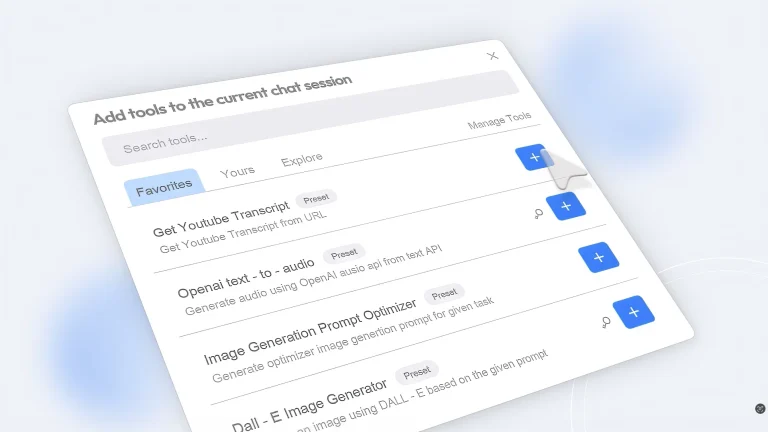
BrowseWiz keeps an AI chat and agent workspace beside the active browser tab. It can summarize, extract, analyze, and transform page content; work with office files, PDFs, images, and spreadsheets; search the web; save reusable prompts; and connect custom tools through APIs, webhooks, or MCP servers.
Users can bring a model key or use the managed chat model, and conversation history is stored locally according to the product. Custom tools and browser-use agents may access live pages or external systems, so verify endpoints, scope credentials, preview actions, protect confidential tabs, and require confirmation for messages, calendar changes, file writes, and any destructive browser action.
Research basis:
This is a source-based directory listing prepared from public product information; it is not represented as a hands-on test. Last updated August 8, 2026. Read our methodology.
How to use this tool
Open BrowseWiz beside a non-sensitive page and choose its managed model or a restricted personal key after reviewing the provider’s data terms.
Create a dedicated chat, attach only the required files, and test reusable Promptbook instructions on a small representative case.
Configure MCP servers, custom tools, spreadsheet tools, and calendar tools with least-privilege test accounts and explicit schemas.
Run browser-use actions in a test environment, inspect every proposed click or write, and keep messages, purchases, deletion, and account changes behind approval.
Review local history, credit consumption, connected endpoints, and stored credentials when the project ends, then remove access that is no longer needed.
Core Features
✓Contextual browser side-panel chat
✓Local chat history
✓Promptbook template organizer
✓Multi-file analysis
✓Bring your own key or model
✓MCP servers and custom tools
✓Browser-use agent
✓Spreadsheet and calendar toolsets
Use Cases
#1Summarize and question the active page
#2Analyze several files together
#3Reuse a library of team prompts
#4Connect an internal tool through MCP
#5Automate a limited browser task
Frequently Asked Questions
BrowseWiz is a browser side-panel assistant for page chat, files, prompts, custom models, MCP servers, tools, and browser automation.
Free costs $0 per month excluding applicable tax.
It includes contextual chat, history, Promptbook, multiple files, BYOK, MCP, custom tools, browser use, spreadsheet and calendar tools, and 10 million monthly credits.
Advanced costs $10 per month excluding applicable tax.
It adds unlimited monthly credits subject to daily and weekly limits and email customization support.
Yes. For Teams uses custom pricing for models, tools, instructions, prompts, branding, support, and other requirements.
Yes. BYOK or custom-model support is included in the Free plan.
Yes, though endpoints, authentication, tool permissions, data exposure, and writes require review.
No. The pricing page states that daily and weekly limits may apply.
Require approval for messages, purchases, deletion, account changes, sensitive uploads, and external writes.
BrowseWiz Support Email & Customer service contact & Refund contact etc.