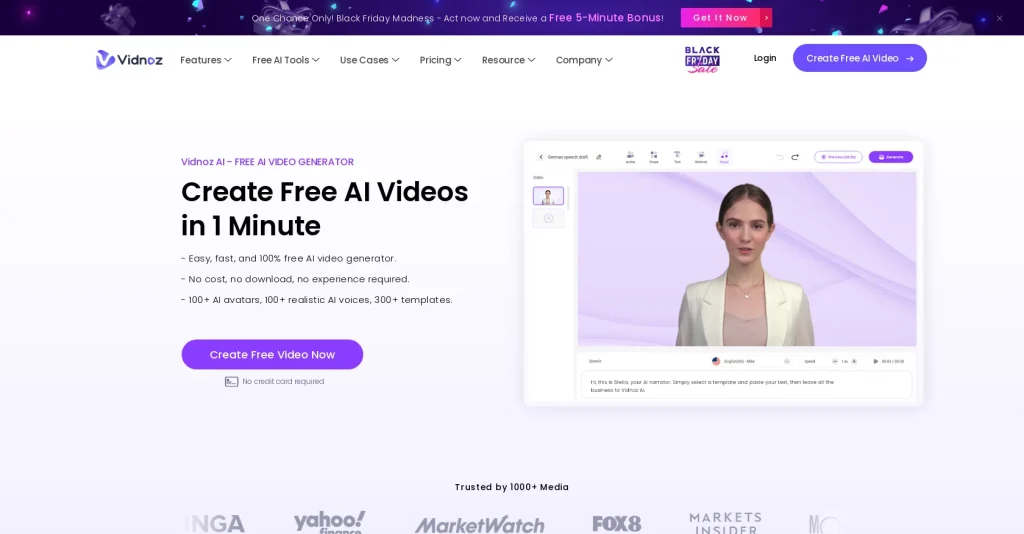
Introduction:Vidnoz AI creates presenter-led videos from scripts using AI avatars, voices, templates, translation, dubbing, custom presenters, media assets, collaboration, and downloadable exports.
Vidnoz AI is an online video generator for creating presenter-style content without filming every scene. Users can select a template and digital avatar, enter a script, choose a voice and language, add text and media, translate or dub content, and export a video for marketing, training, sales, education, or internal communication.
Avatar video can be mistaken for a real recording. Use faces and voices with appropriate rights, disclose synthetic presenters when context requires it, verify pronunciation and translated meaning, replace unsupported claims, add accurate captions, and inspect lip sync, layout, music, and export quality before distribution.
Research basis:
This is a source-based directory listing prepared from public product information; it is not represented as a hands-on test. Last updated August 8, 2026. Read our methodology.
How to use this tool
Define the owner, success measure, approval boundary, and rights before providing authorized source footage, script, audience, output format, voice rights, brand rules, and platform requirements to Vidnoz AI.
Configure a limited pilot using Text-to-video generation and AI avatar presenters with minimum permissions and non-sensitive material.
Test Create a product explainer and Localize a training video, recording inputs, settings, usage, expected results, and source references.
Review editable clips, captions, voiceovers, avatars, and publishable video drafts for accuracy, privacy, security, originality, accessibility, policy compliance, and commercial rights.
Monitor prices, limits, integrations, and product changes; Video automation needs media and voice rights, factual review, caption checks, platform compliance, accessibility, and final human approval.
Core Features
✓Text-to-video generation
✓AI avatar presenters
✓Multilingual AI voices
✓Video templates
✓Custom avatar and voice options
✓AI translation and dubbing
✓Media and scene editing
✓Collaboration and video export
Use Cases
#1Create a product explainer
#2Localize a training video
#3Produce an avatar-led sales message
#4Build a multilingual announcement
#5Draft an educational presentation video
Frequently Asked Questions
Vidnoz AI creates presenter-led videos from scripts using AI avatars, voices, templates, translation, dubbing, custom presenters, media assets, collaboration, and downloadable exports.
Text-to-video generation, AI avatar presenters, Multilingual AI voices, Video templates, Custom avatar and voice options.
Create a product explainer, Localize a training video, Produce an avatar-led sales message, Build a multilingual announcement.
Authorized source footage, script, audience, output format, voice rights, brand rules, and platform requirements.
Editable clips, captions, voiceovers, avatars, and publishable video drafts.
Vidnoz verifies a free plan and custom Enterprise tier, but its current public page did not expose reliable numeric paid-plan totals.
Yes. The current record includes Free; verify live limits before relying on it.
Confirm billing, renewal, taxes, credits, usage limits, support, cancellation, refunds, data handling, commercial rights, and external costs on the official checkout.
Video automation needs media and voice rights, factual review, caption checks, platform compliance, accessibility, and final human approval.
No. Responsible use still requires source permission, factual and quality review, privacy and security checks, policy compliance, and final human approval.
Vidnoz AI Support Email & Customer service contact & Refund contact etc.