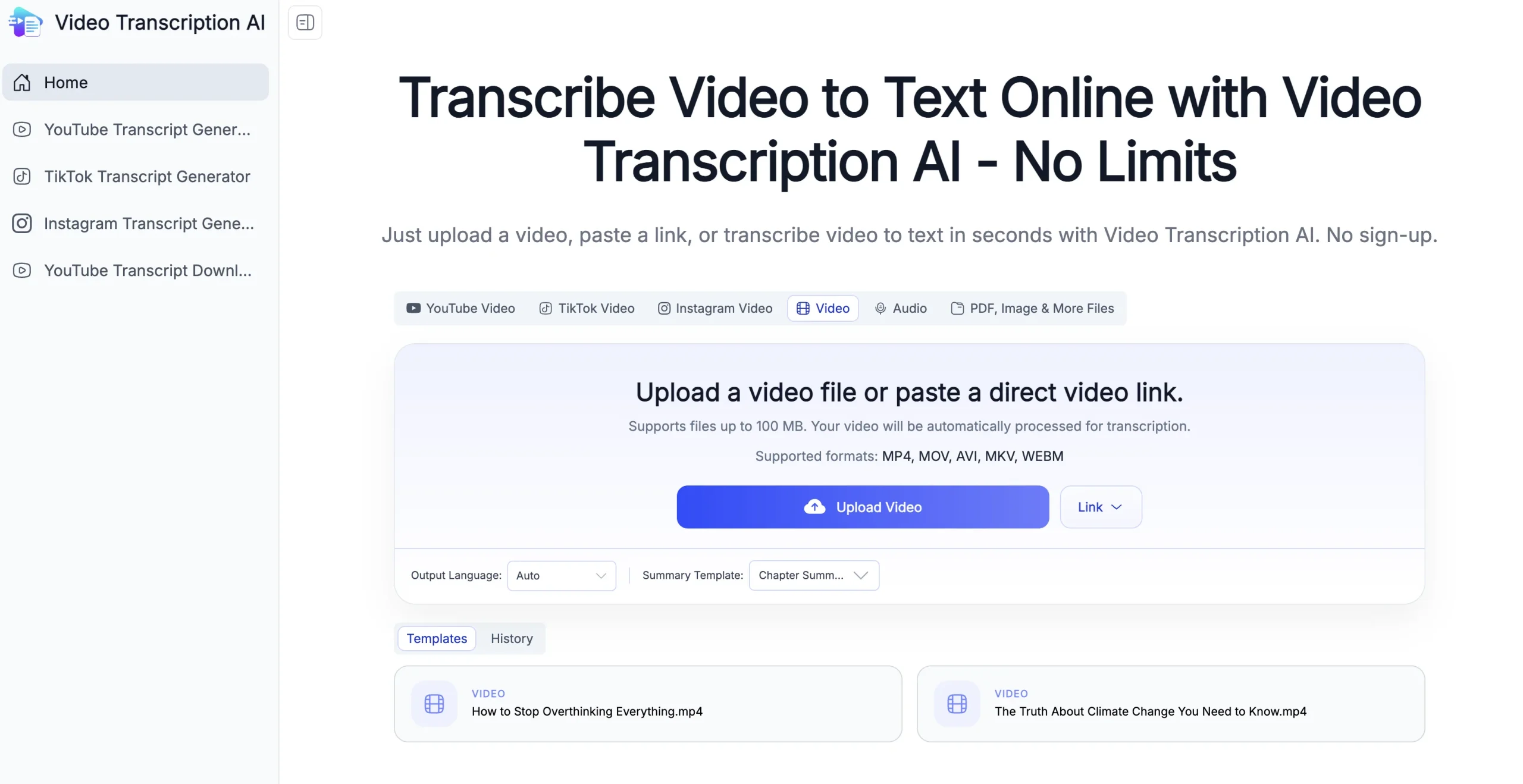
VideoTranscription.AI converts uploaded video files or supported public video links into written transcripts without requiring manual typing. It produces structured text with timestamps and speaker labels, helping users search and review long recordings.
The service can summarize, translate, and divide transcripts into chapters, then export them as text, documents, subtitles, or Markdown. It supports content repurposing for lectures, interviews, meetings, podcasts, webinars, and marketing material.
Research basis:
This is a source-based directory listing prepared from public product information; it is not represented as a hands-on test. Last updated August 8, 2026. Read our methodology.
How to use this tool
Upload a video the user is authorized to process or paste a supported public link, staying within the displayed file limit.
Select the spoken and desired output languages and choose whether summaries, chapters, or speaker separation are needed.
Run transcription, then compare names, technical terms, numbers, speaker changes, and timestamps with the source recording.
Correct the transcript before generating a translation, summary, mind map, or subtitles so downstream errors do not multiply.
Export the appropriate document or caption format and obtain participant consent before sharing sensitive meeting or interview content.
Core Features
✓Transcription from uploaded videos and supported public video links.
✓Editable text with timestamps and speaker labels.
✓AI summaries and extracted key points for long recordings.
✓Automatic chapter breakdowns for navigating topics.
✓Transcript translation into supported languages.
✓Mind-map generation for visual review of the material.
✓TXT, DOCX, PDF, Markdown, SRT, and VTT export formats.
✓No-signup workflow for files within the public free limit.
Use Cases
#1Create subtitles from a video
#2Turn a lecture into searchable notes
#3Summarize a webinar
#4Translate an interview transcript
#5Repurpose a video into written content
Frequently Asked Questions
VideoTranscription.AI converts uploaded videos or supported public links into editable transcripts, summaries, chapters, translations, and subtitles.
Yes. The public workflow accepts supported public video links as well as uploaded files.
The current free page publishes a maximum file size of 100 MB.
It can add speaker labels, but users should verify speaker changes against the recording.
Yes. Translation is available after transcription and should be reviewed by a fluent speaker for important material.
Yes. SRT and VTT are among its advertised export formats.
Published formats include TXT, DOCX, PDF, Markdown, SRT, and VTT.
The public site currently presents the core workflow as free without signup and does not publish a paid plan table.
No. Audio quality, accents, overlapping speech, names, and jargon can cause mistakes.
Only when the user has permission to upload or process them and complies with privacy, consent, and copyright requirements.
VideoTranscription.AI Support Email & Customer service contact & Refund contact etc.