Introduction:VideoProc Converter AI converts, compresses, edits, records, downloads, and enhances video, audio, and DVD media with hardware acceleration and AI restoration tools.
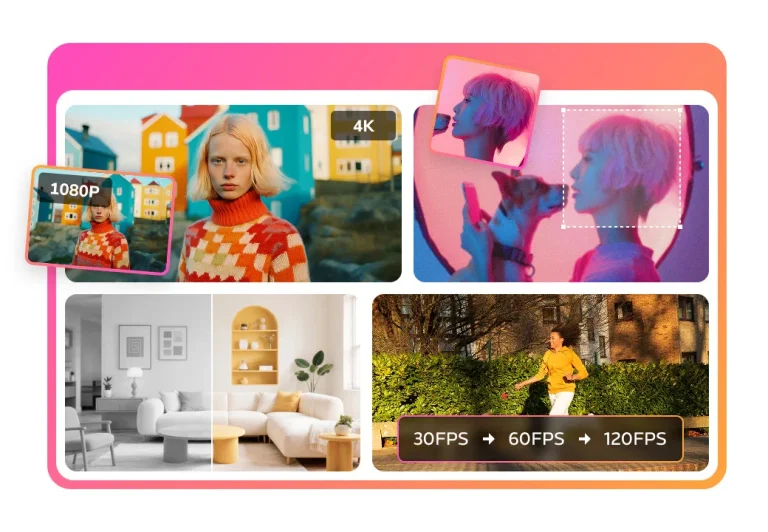
VideoProc Converter AI is a desktop media-processing suite for converting, compressing, editing, recording, downloading, and enhancing video and audio. Its workflow combines format and codec conversion with trimming, cropping, subtitles, screen capture, hardware acceleration, and AI functions for tasks such as super resolution, frame interpolation, stabilization, denoising, and face or image restoration.
Enhancement cannot recreate reliable evidence that was never captured, and downloading media may violate a platform’s rules or copyright. Work from a duplicate of the source, confirm ownership and consent, preserve the original frame rate and metadata when they matter, test a short segment before a long export, label materially AI-restored footage, and inspect the final file for artifacts, sync errors, and unintended quality loss.
Research basis:
This is a source-based directory listing prepared from public product information; it is not represented as a hands-on test. Last updated August 8, 2026. Read our methodology.
How to use this tool
Define the owner, success measure, approval boundary, and rights before providing a lawful original media file, desired improvement, device capacity, output format, and backup to it.
Configure a limited pilot using Video and audio conversion and File-size compression with minimum permissions and non-sensitive material.
Test Convert footage for another device and Compress a large upload, recording inputs, settings, usage, expected results, and source references.
Review a preview or repaired, converted, compressed, stabilized, or enhanced file for accuracy, privacy, security, originality, accessibility, policy compliance, and commercial rights.
Monitor prices, limits, integrations, and product changes; AI repair can invent detail or introduce artifacts; preserve originals, compare frames, verify audio sync, and inspect exports.
Core Features
✓Video and audio conversion
✓File-size compression
✓Hardware-accelerated processing
✓AI video enhancement
✓Frame interpolation
✓Video stabilization
✓Screen and webcam recording
✓Basic cutting and subtitle tools
Use Cases
#1Convert footage for another device
#2Compress a large upload
#3Upscale an old home video
#4Stabilize shaky camera footage
#5Record and edit a screen tutorial
Frequently Asked Questions
It converts, compresses, edits, records, downloads, and enhances video, audio, and DVD media with hardware acceleration and AI restoration tools.
Video and audio conversion, File-size compression, Hardware-accelerated processing, AI video enhancement, Frame interpolation.
Convert footage for another device, Compress a large upload, Upscale an old home video, Stabilize shaky camera footage.
A lawful original media file, desired improvement, device capacity, output format, and backup.
A preview or repaired, converted, compressed, stabilized, or enhanced file.
A free trial is available; Premium 365 is $34.95 yearly and Lifetime is $54.95 one time.
Yes. The current record includes Free Trial; verify live limits before relying on it.
Confirm billing, renewal, taxes, credits, usage limits, support, cancellation, refunds, data handling, commercial rights, and external costs on the official checkout.
AI repair can invent detail or introduce artifacts; preserve originals, compare frames, verify audio sync, and inspect exports.
No. Responsible use still requires source permission, factual and quality review, privacy and security checks, policy compliance, and final human approval.
VideoProc Converter AI Support Email & Customer service contact & Refund contact etc.