Introduction:UniFab Studio combines AI upscaling, denoising, frame interpolation, stabilization, deinterlacing, and HDR conversion in a sequential video-enhancement workflow.
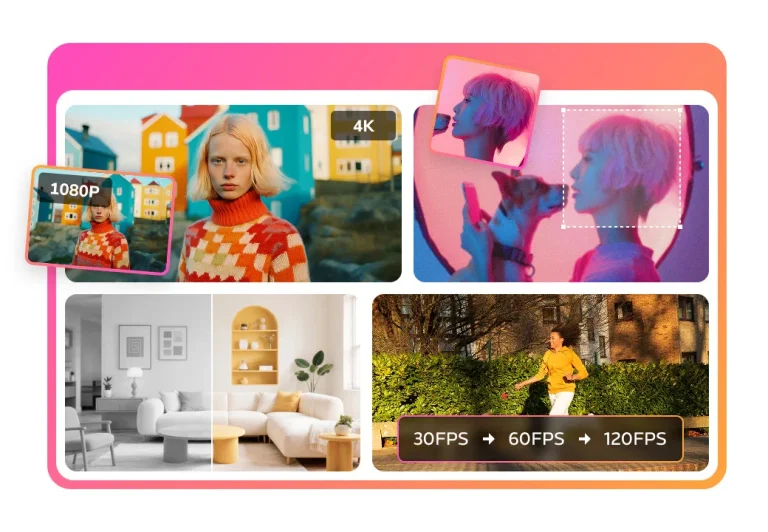
UniFab Studio is an AI video-enhancement workspace for improving low-resolution, noisy, interlaced, shaky, or standard-dynamic-range footage. Its sequential workflow can apply several operations to the same video, including upscaling to 4K or 8K, facial-detail enhancement, SDR-to-HDR or Dolby Vision conversion, frame interpolation up to 120 FPS, denoising, deinterlacing, and stabilization.
The software is aimed at filmmakers, video editors, creators, archivists, and hobbyists who want more control than a one-click preset. It supports adjustable enhancement parameters, project-based batch management, pre-editing tools, GPU acceleration, and more than 60 export formats. Results still depend on source quality and hardware, so important footage should be previewed at representative frames before a long batch export.
Research basis:
This is a source-based directory listing prepared from public product information; it is not represented as a hands-on test. Last updated August 8, 2026. Read our methodology.
How to use this tool
Define the owner, success measure, approval boundary, and rights before providing authorized footage, platform goals, brand rules, media rights, format, and publishing permissions to UniFab Studio.
Configure a limited pilot using AI video upscaling to 4K or 8K and Facial-detail enhancement during upscaling with minimum permissions and non-sensitive material.
Test Restore low-resolution archive footage and Reduce grain in low-light recordings, recording inputs, settings, usage, expected results, and source references.
Review clips, captions, transcripts, summaries, and reviewed video exports for accuracy, privacy, security, originality, accessibility, policy compliance, and commercial rights.
Monitor prices, limits, integrations, and product changes; Review rights, captions, factual accuracy, accessibility, aspect ratio, platform rules, and final export quality.
Core Features
✓AI video upscaling to 4K or 8K
✓Facial-detail enhancement during upscaling
✓SDR conversion to HDR10 and Dolby Vision
✓Frame interpolation up to 120 FPS
✓AI video denoising and grain reduction
✓AI deinterlacing for legacy footage
✓One-click video stabilization
✓Project-based batch processing with 60+ export formats
Use Cases
#1Restore low-resolution archive footage
#2Reduce grain in low-light recordings
#3Smooth sports or gaming video
#4Convert SDR footage for HDR delivery
#5Stabilize handheld creator footage
Frequently Asked Questions
UniFab Studio combines AI upscaling, denoising, frame interpolation, stabilization, deinterlacing, and HDR conversion in a sequential video-enhancement workflow.
AI video upscaling to 4K or 8K, Facial-detail enhancement during upscaling, SDR conversion to HDR10 and Dolby Vision, Frame interpolation up to 120 FPS, AI video denoising and grain reduction.
Restore low-resolution archive footage, Reduce grain in low-light recordings, Smooth sports or gaming video, Convert SDR footage for HDR delivery.
Authorized footage, platform goals, brand rules, media rights, format, and publishing permissions.
Clips, captions, transcripts, summaries, and reviewed video exports.
The official product page did not reliably expose a current numeric Studio license price.
No verified ongoing free plan is recorded; check the official product for a current trial or promotion.
Confirm billing, renewal, taxes, credits, usage limits, support, cancellation, refunds, data handling, commercial rights, and external costs on the official checkout.
Review rights, captions, factual accuracy, accessibility, aspect ratio, platform rules, and final export quality.
No. Responsible use still requires source permission, factual and quality review, privacy and security checks, policy compliance, and final human approval.
UniFab Studio Support Email & Customer service contact & Refund contact etc.