Login
text2diagram TE

text2diagram

Open site
☆☆☆☆☆ New ·20 Saved
Introduction: text2diagram helps users write, rewrite, or summarize text.
Added on: 2026-08-01
Social & Email:
text2diagram screenshot
Free
63
20
New
Product Information FAQ Reviews Pricing Embed Alternatives
text2diagram Product Information

What is text2diagram?

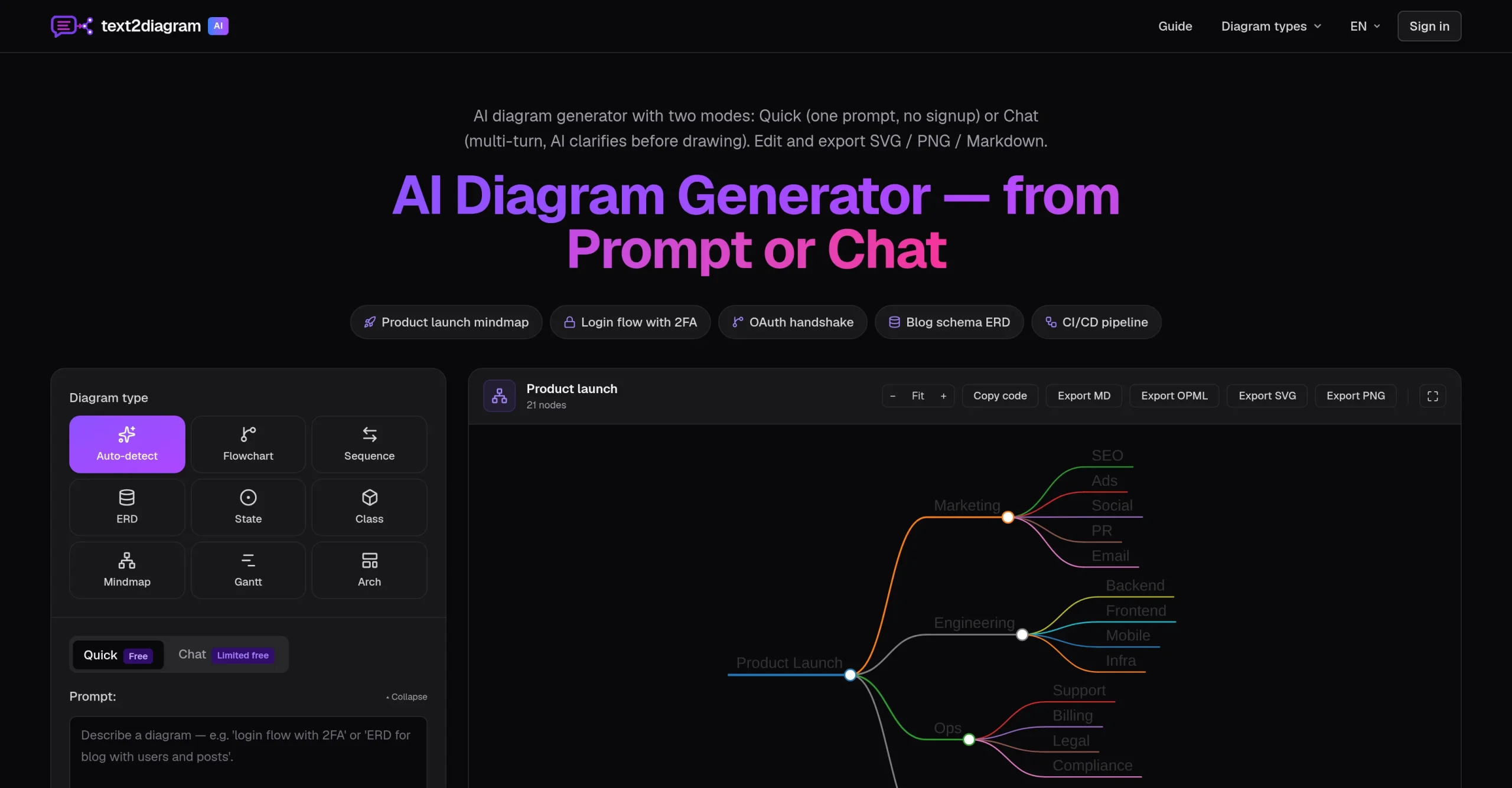
The text2diagram tool is an Artificial Intelligence-powered diagram generator that operates in two modes: Quick mode, which generates a diagram from a single prompt, and a multi-turn Chat mode, where the AI seeks clarity before rendering the diagram.

The tool generates diagrams from plain English or Chinese text, without requiring the user to know Mermaid, PlantUML, or Graphviz syntax. Depending on the details of the prompt, it can create various types of diagrams including flowcharts, sequence diagrams, entity-relationship diagrams (ERDs), state diagrams, class diagrams, mindmaps, and Gantt charts.

In addition to generating these diagrams, the tool has editing capabilities and supports exports in multiple formats such as SVG, PNG, and Markdown. The AI assists by clarifying intent, determining the appropriate diagram type and subsequently rendering the stated diagram.

Research basis: This is a source-based directory listing prepared from public product information; it is not represented as a hands-on test. Last updated August 4, 2026. Read our methodology.

How to use this tool

  1. Open the official text2diagram website from the saved listing.
  2. Prepare the text, file, prompt, idea, or account context required to write, rewrite, or summarize text.
  3. Use the workflow described in the cached source listing for the main task.
  4. Review the generated or returned result for accuracy and fit.
  5. Adjust the input and repeat the workflow when the result needs refinement.

Core Features

  • The text2diagram tool is an Artificial Intelligence-powered diagram generator that operates in.
  • Generates diagrams from plain English or Chinese text, without requiring the user.
  • Depending on the details of the prompt, it can create various types.
  • In addition to generating these diagrams, the tool has editing capabilities and.
  • The AI assists by clarifying intent, determining the appropriate diagram type and.
  • Users have the ability to adjust and review diagrams before finalizing.
  • The text2diagram tool finds use across numerous tasks such as planning, database.

Use Cases

#1 Build presentation drafts from existing notes or documents.
#2 Complete practical work that requires users to support learning, tutoring, and study tasks.
#3 Reduce manual effort when a task involves the verified primary workflow.

Frequently Asked Questions

text2diagram Support Email & Customer service contact & Refund contact etc.

More Contact, visit the contact us page.

text2diagram Login

text2diagram Login Link: https://text2everything.vip/

text2diagram Sign up

text2diagram Sign up Link: https://text2everything.vip/
text2diagram Reviews
Would you recommend text2diagram? Leave a comment:
★ ★ ★ ★ ★
text2diagram Pricing

Exact feature availability by plan was not specified in the source.

Free
  • The text2diagram tool is an Artificial Intelligence-powered diagram generator that operates in.
  • Generates diagrams from plain English or Chinese text, without requiring the user.
  • Depending on the details of the prompt, it can create various types.
text2diagram Launch embeds
Use website badges to drive support from your community for your TaskBoosters launch. They're easy to embed on your homepage or footer.
TaskBoosters Featured on TaskBoosters
Copy the embed code, then paste it into your website footer, homepage, or a custom HTML block. The badge links back to this TaskBoosters tool page.
Alternative of text2diagram
Explore more Art & Creative Design AI tools