Login
Rift-code RI

Rift-code

Open site
☆☆☆☆☆ New ·23 Saved
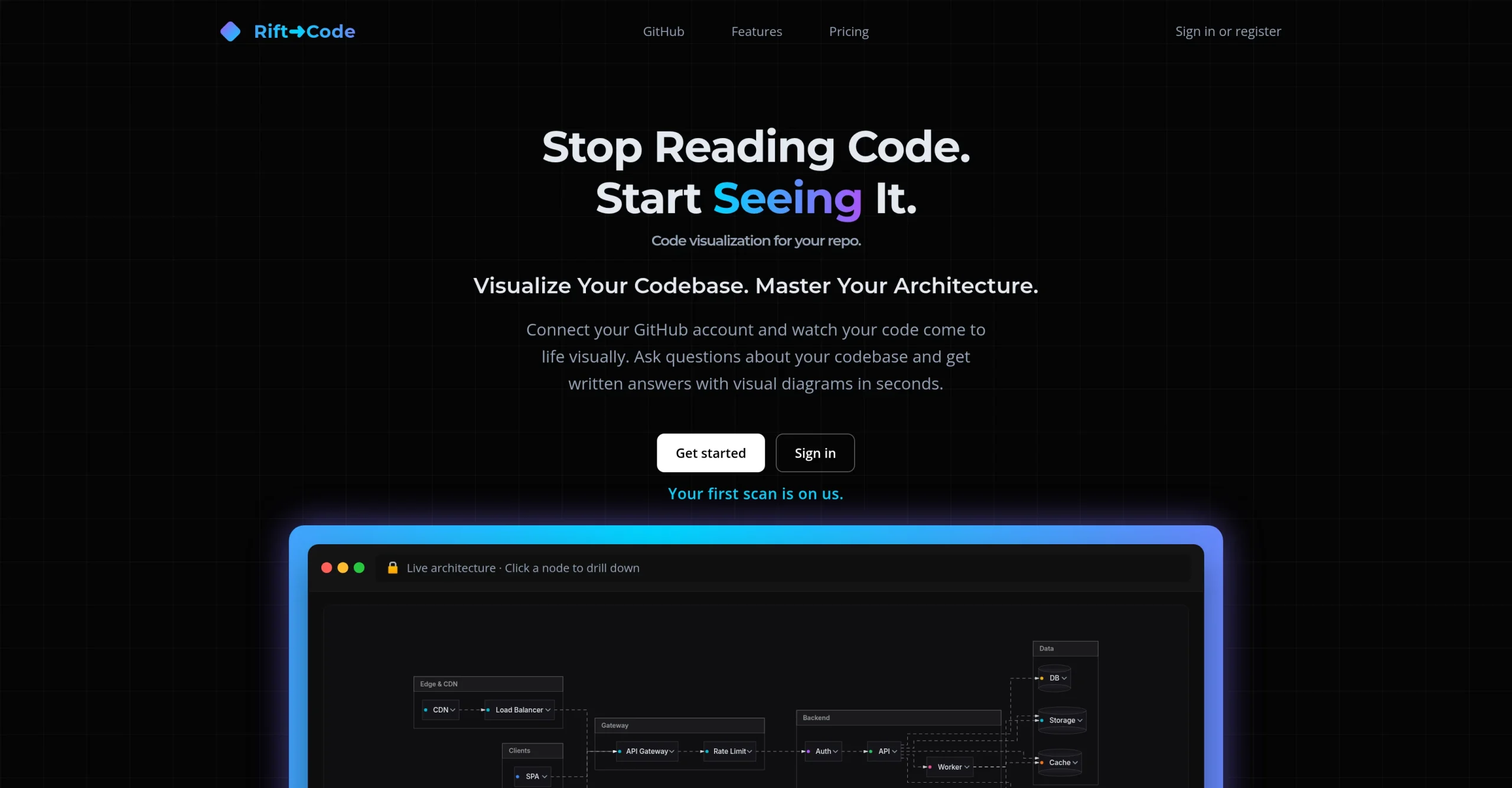
Introduction: Rift-code maps a GitHub repository into a visual architectural overview, and its Ask Lens answers questions about the codebase with written explanations and diagrams.
Added on: 2026-08-01
Monthly Visitors: 1.4K
Social & Email:
Rift-code screenshot
us United States
Freemium
199
23
New
Product Information FAQ Reviews Pricing Embed Alternatives
Rift-code Product Information

What is Rift-code?

Rift-code is a visual mapping tool for developers, connecting directly to GitHub repositories and generating an architectural overview of what is there.

Its purpose is understanding a complex codebase without manually tracing thousands of lines, which is what makes patterns and dependencies visible rather than inferred.

Ask Lens is the feature that goes beyond diagramming. You query the codebase and receive a written response accompanied by visual diagrams, so the answer shows how the code flows rather than only describing it.

That combination suits several situations where a codebase has to be understood quickly: deep-dive analysis, onboarding a new team member, planning a feature, and checking the impact of a change before refactoring. Pricing starts at $1.99.

Research basis: This is a source-based directory listing prepared from public product information; it is not represented as a hands-on test. Last updated September 20, 2026. Read our methodology.

How to use this tool

  1. Connect Rift-code to the GitHub repository.
  2. Let it generate the architectural overview.
  3. Explore the map to see patterns and dependencies.
  4. Ask Lens a question about how something works.
  5. Read the written answer alongside its diagram.

Core Features

  • Connects directly to GitHub repositories
  • Generates a comprehensive architectural overview
  • Makes patterns and dependencies visible
  • Ask Lens: query the codebase in plain language
  • Written answers accompanied by visual diagrams

Use Cases

#1 Onboard onto an unfamiliar codebase in hours rather than weeks
#2 Check what a refactor would touch before starting it
#3 Plan a feature against the real architecture
#4 Explain how a system flows to a new team member

Frequently Asked Questions

Rift-code Support Email & Customer service contact & Refund contact etc.

More Contact, visit the contact us page.

Rift-code Login

Rift-code Login Link: https://rift-code.com/

Rift-code Sign up

Rift-code Sign up Link: https://rift-code.com/
Rift-code Reviews
Would you recommend Rift-code? Leave a comment:
★ ★ ★ ★ ★
Rift-code Pricing

Exact feature availability by plan was not specified in the source.

Free Trial
  • A visual mapping tool designed for developers to visualize their GitHub repo.
  • By connecting directly to your GitHub repositories, the platform generates a comprehensive.
  • Aims to help in understanding complex codebases without manually tracing thousands of.
Paid Plan
$1.99 One-time
  • One key feature of Rift-code is its Ask Lens functionality.
  • Ask Lens enables users to query their codebase and receive written responses.
  • This makes it particularly useful for deep-dive analysis, onboarding new team members.
Rift-code Launch embeds
Use website badges to drive support from your community for your TaskBoosters launch. They're easy to embed on your homepage or footer.
TaskBoosters Featured on TaskBoosters
Copy the embed code, then paste it into your website footer, homepage, or a custom HTML block. The badge links back to this TaskBoosters tool page.
Alternative of Rift-code
Explore more Coding & Development AI tools
Rift-code's Tags
Code Assistant › Deep Research › Integrations › Visual Creation ›