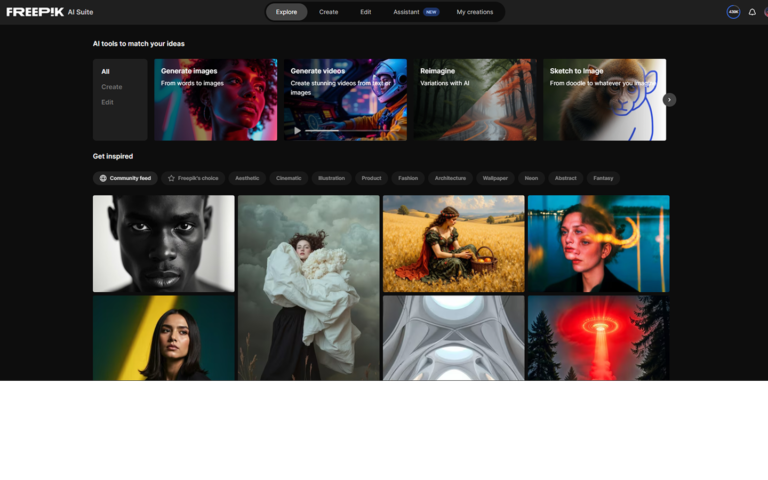
Introduction:Magnific is an AI creative production platform that combines image and video generation, enhancement, upscaling, editing, and workflow tools in one workspace. Its visual canvas...
Magnific is an AI creative production platform that combines image and video generation, enhancement, upscaling, editing, and workflow tools in one workspace. Its visual canvas helps creators connect steps, compare variations, and move from an initial concept to a polished asset without rebuilding the process across several unrelated apps.
The platform is aimed at designers, agencies, filmmakers, marketers, e-commerce teams, and enterprise creative groups. It is particularly useful when a project requires high-resolution output, repeatable visual workflows, collaboration, or consistency across characters, products, and brand assets.
Research basis:
This is a source-based directory listing prepared from public product information; it is not represented as a hands-on test. Last updated July 26, 2026. Read our methodology.
How to use this tool
Start by choosing the output you need, such as an image, video, enhancement, or upscale. Add a prompt or source asset, select an appropriate model, and build the workflow on the canvas. Compare variations before committing credits, refine composition and consistency, then upscale or export the selected result. Teams can organize shared assets and repeatable processes inside collaborative spaces.
Core Features
✓AI image and video generation
✓High-resolution image and video upscaling
✓Visual node-based workflow canvas
✓Access to multiple creative AI models
✓Character and brand consistency controls
✓Reusable workflow apps
✓Collaborative team spaces
✓Creative asset organization
✓Production-oriented export workflow
Use Cases
#1Create advertising concepts
#2Produce e-commerce product visuals
#3Upscale images for print or campaigns
#4Build storyboards and cinematic scenes
#5Maintain a character across multiple shots
#6Scale branded social media content
#7Create repeatable agency workflows
Frequently Asked Questions
Magnific is an AI creative platform for generating, editing, enhancing, upscaling, organizing, and producing image and video assets.
No. Upscaling is one of its best-known capabilities, but the platform also includes generation, editing, video, workflow, consistency, and collaboration tools.
It is designed for creative professionals, agencies, marketers, filmmakers, e-commerce teams, brand teams, and enterprise production groups.
The canvas is a visual workspace for connecting creative steps, branching ideas, comparing versions, and building reusable production workflows.
Yes. The platform includes tools intended to improve character and brand consistency across multiple generated assets.
Yes. Its creative suite includes AI video workflows in addition to image generation and enhancement.
Yes. Team spaces can be used to organize shared assets, workflows, and production work.
Magnific is positioned as a paid creative platform. Plans, included usage, and business pricing should be checked on its official pricing page.
Review the source image for compression, incorrect text, distorted anatomy, or product errors because upscaling can make existing mistakes more visible.
It can accelerate creative production, but final assets still benefit from human art direction, licensing review, retouching, and brand quality control.
Magnific brings multiple creative models into one workspace so users can select different approaches for image, video, audio, and related tasks.
Yes. Repeatable workflows can be saved and organized so teams can run common creative processes more consistently.
Magnific Prompts
Campaign Visual
Create a premium campaign image for [product], with [setting], [lighting], [camera style], and space for headline copy. Keep the product proportions accurate.
Character Continuity
Keep the same character identity, clothing details, and color palette while changing the scene to [new scene] and the camera angle to [angle].
Upscale Direction
Enhance fine material texture and edge clarity while preserving the original composition, facial identity, typography, and product geometry.
Magnific Support Email & Customer service contact & Refund contact etc.