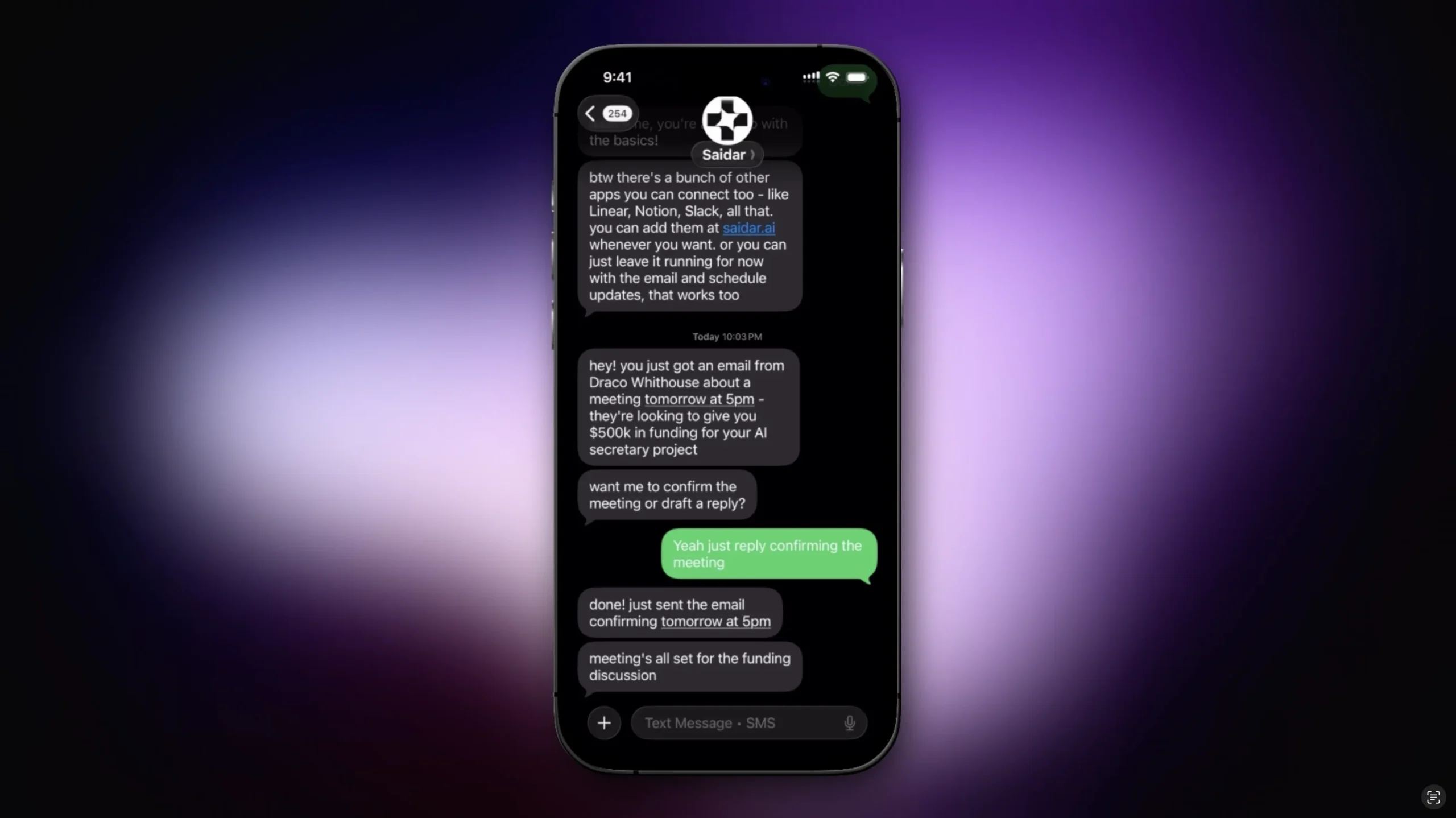
Introduction:Lindy is a personal AI assistant for managing inboxes, drafting messages, scheduling meetings, preparing follow-ups, taking notes, and working across connected apps.
Lindy can be reached through text and acts across email, calendar, meetings, and other connected services. It drafts replies, schedules appointments, prepares meetings, captures notes, organizes follow-ups, and learns a user’s communication preferences while preserving a review step.
Grant access gradually because inboxes and calendars contain sensitive information. Review every outbound draft, limit connected accounts, protect confidential attachments, verify meeting changes, and use enterprise controls where regulated or team data requires stronger governance.
Research basis:
This is a source-based directory listing prepared from public product information; it is not represented as a hands-on test. Last updated August 8, 2026. Read our methodology.
How to use this tool
Define the owner, success measure, approval boundary, and rights before providing email and calendar access, meeting preferences, contact rules, integrations, and approval limits to Lindy.
Configure a small pilot using Email inbox assistance and Drafted replies for approval with minimum permissions and non-sensitive sample data.
Test representative workflows for Triage a busy inbox and Schedule a meeting by text, recording settings, usage, and expected results.
Review inbox triage, drafted replies, scheduling, meeting notes, preparation, and follow-up for accuracy, privacy, security, originality, accessibility, and commercial rights before use.
Monitor costs, limits, integrations, and product changes; Inbox and calendar access is sensitive; restrict permissions and require approval before messages or bookings.
Core Features
✓Email inbox assistance
✓Drafted replies for approval
✓Meeting scheduling
✓Meeting preparation
✓Meeting recording and notes
✓Follow-up organization
✓iMessage and SMS access
✓More than 100 integrations
Use Cases
#1Triage a busy inbox
#2Schedule a meeting by text
#3Prepare for a client call
#4Draft a follow-up email
#5Capture meeting notes and tasks
Frequently Asked Questions
Lindy is a personal AI assistant for managing inboxes, drafting messages, scheduling meetings, preparing follow-ups, taking notes, and working across connected apps.
Email inbox assistance, Drafted replies for approval, Meeting scheduling, Meeting preparation, Meeting recording and notes.
Triage a busy inbox, Schedule a meeting by text, Prepare for a client call, Draft a follow-up email.
email and calendar access, meeting preferences, contact rules, integrations, and approval limits.
inbox triage, drafted replies, scheduling, meeting notes, preparation, and follow-up.
a 7-day trial precedes Plus at $49.99, Pro at $99.99, Max at $199.99, or custom Enterprise pricing.
Yes. The current record includes 7-Day Trial; verify live limits before relying on it.
Confirm billing cadence, renewal, taxes, usage limits, credits, support, cancellation, refunds, data handling, and commercial rights on the official checkout.
Inbox and calendar access is sensitive; restrict permissions and require approval before messages or bookings.
No. Responsible use still requires source permission, factual and quality review, privacy and security checks, policy compliance, and final human approval.
Lindy Support Email & Customer service contact & Refund contact etc.