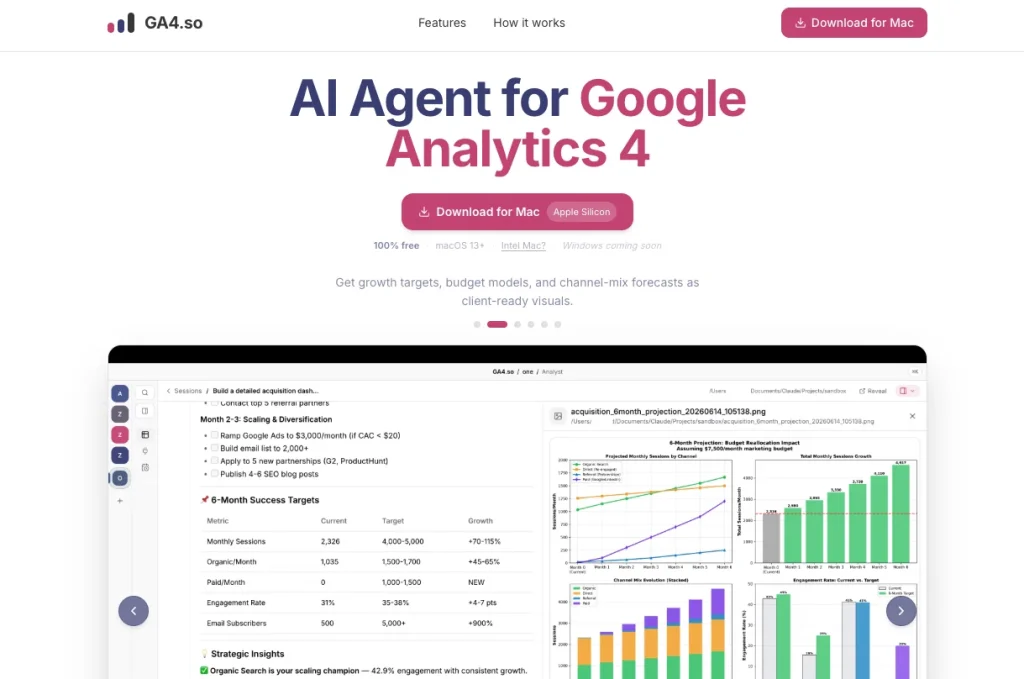
GA4.so is a native macOS application for exploring Google Analytics 4 and Google Search Console through natural-language questions. The agent plans queries, fetches read-only analytics data, and presents findings without requiring users to navigate multiple reports.
It can also create growth targets, budget models, channel-mix forecasts, dashboards, and client-ready visuals. Analytics processing stays on the Mac, while users connect their own Anthropic API key and pay the model provider directly.
Research basis:
This is a source-based directory listing prepared from public product information; it is not represented as a hands-on test. Last updated August 8, 2026. Read our methodology.
How to use this tool
Install the macOS app and connect only the Google Analytics 4 and Search Console properties the user is authorized to access.
Confirm the property, date range, timezone, and comparison period before interpreting any traffic or conversion change.
Add an Anthropic API key when AI explanations are needed and set account-side usage limits to control separate model charges.
Ask one measurable question at a time, then trace the answer back to the displayed source metrics and dimensions.
Export or communicate reviewed findings with the reporting window and assumptions, avoiding causal claims that the underlying data cannot prove.
Core Features
✓Native macOS analytics workspace for GA4 and Google Search Console data.
✓Natural-language questions that turn analytics data into concise explanations.
✓Bring-your-own Anthropic API key so AI usage is billed directly by the model provider.
✓Local-first processing that keeps connected analytics data on the device.
✓Combined traffic, acquisition, engagement, landing-page, and search-performance views.
✓Fast investigation of changes without repeatedly building reports in the GA4 interface.
✓Focused desktop experience without browser-tab or dashboard clutter.
✓Free product access with no software subscription published by GA4.so.
Use Cases
#1Investigate a traffic change
#2Prepare an analytics report for a client
#3Forecast channel allocation
#4Model a marketing budget
#5Ask questions across GA4 and Search Console
Frequently Asked Questions
GA4.so is a native macOS analytics app for exploring Google Analytics 4 and Google Search Console data with focused dashboards and AI-assisted questions.
Its public product information focuses on Google Analytics 4 and Google Search Console.
The currently advertised application is built for macOS; users should check the official site for any later platform additions.
An Anthropic key is needed for its AI question-and-answer features, while ordinary connected analytics views may be used without model calls.
No. The user supplies the key, so any model usage is billed under that Anthropic account and its current rates.
The product presents itself as local-first and says analytics processing happens on the device; users should still review current privacy and Google authorization scopes.
Yes. The official site currently promotes the app as free and does not publish a paid software plan.
No. It simplifies GA4 and Search Console analysis but cannot repair tracking gaps or prove causality across unconnected channels.
Yes, provided the signed-in Google account has permission for each property and client data is handled under the applicable agreement.
Check the selected dates, filters, metric definitions, and source rows before acting on an AI explanation.
GA4.so Support Email & Customer service contact & Refund contact etc.