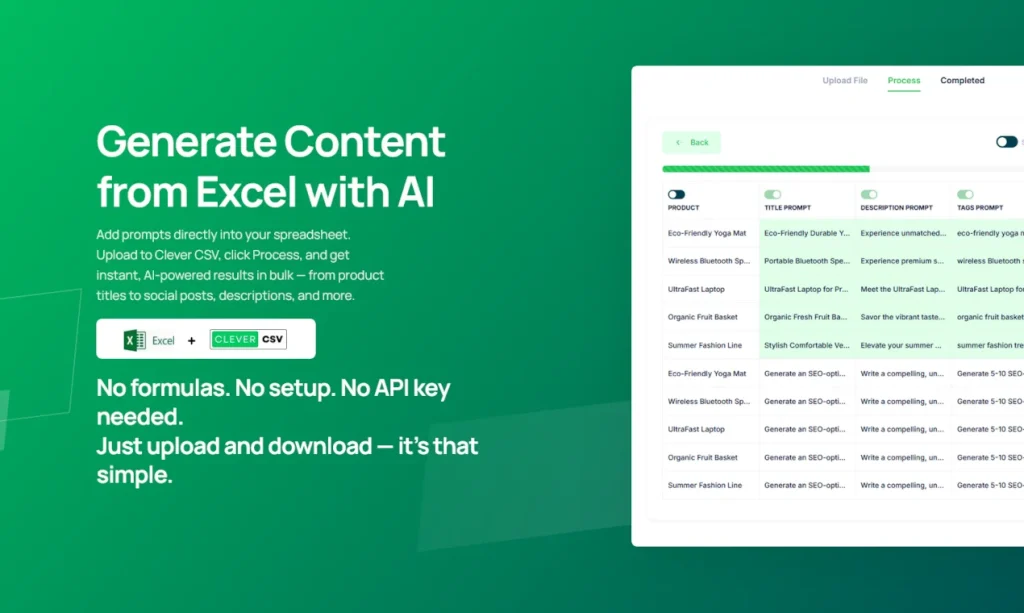
Introduction:Clever CSV applies bulk AI prompts to Excel, Google Sheets, and WordPress data for product copy, translations, social posts, and other structured content.
Clever CSV is designed for high-volume content work that begins in rows and columns. Users can upload spreadsheets, run natural-language prompts across many records, and reuse one managed token balance across Excel, Google Sheets, and WordPress-oriented tools without configuring their own model API key.
Bulk generation can multiply a bad prompt or expose customer and catalog data. Remove unnecessary identifiers, back up the source file, test a small range, define output columns and validation rules, check formulas and encoding, sample every batch, and require human review for prices, regulated claims, translations, or direct publication.
Research basis:
This is a source-based directory listing prepared from public product information; it is not represented as a hands-on test. Last updated August 8, 2026. Read our methodology.
How to use this tool
Define the owner, success metric, approval boundary, and rights before providing an Excel, Google Sheets, CSV, or WordPress dataset plus a row-level prompt and output column to Clever CSV.
Configure a small pilot around Bulk AI prompts for spreadsheets and Excel and Google Sheets workflows, using minimum permissions and non-sensitive samples.
Test representative workflows for Generate descriptions for a product catalog and Translate spreadsheet rows in bulk, recording inputs, settings, usage, and expected results.
Review bulk generated, translated, standardized, or enriched spreadsheet and CMS text for accuracy, privacy, security, originality, accessibility, and commercial rights before use.
Monitor costs, limits, integrations, and changes; Bulk generation amplifies mistakes; test a sample, protect sensitive rows, preserve source columns, and review before import.
Core Features
✓Bulk AI prompts for spreadsheets
✓Excel and Google Sheets workflows
✓WordPress content tools
✓Product description generation
✓Translation and social-content generation
✓Managed AI access without a user API key
✓Shared token balance across tools
✓Natural-language spreadsheet automation
Use Cases
#1Generate descriptions for a product catalog
#2Translate spreadsheet rows in bulk
#3Create social posts from WordPress content
#4Standardize text across a CSV export
#5Enrich marketing columns without formulas
Frequently Asked Questions
Clever CSV applies bulk AI prompts to Excel, Google Sheets, and WordPress data for product copy, translations, social posts, and other structured content.
Bulk AI prompts for spreadsheets, Excel and Google Sheets workflows, WordPress content tools, Product description generation, Translation and social-content generation.
Generate descriptions for a product catalog, Translate spreadsheet rows in bulk, Create social posts from WordPress content, Standardize text across a CSV export.
an Excel, Google Sheets, CSV, or WordPress dataset plus a row-level prompt and output column.
bulk generated, translated, standardized, or enriched spreadsheet and CMS text.
Basic is $9, Standard $19, and Pro $39 monthly, with discounted annual plans.
No verified ongoing free plan is recorded; check the official product for a current trial or promotional allowance.
Confirm billing, renewal, taxes, credits, storage, support, cancellation, refunds, privacy, and commercial rights on the official checkout.
Bulk generation amplifies mistakes; test a sample, protect sensitive rows, preserve source columns, and review before import.
No. Responsible use still requires source permission, factual and quality review, privacy and security checks, policy compliance, and final human approval.
Clever CSV Support Email & Customer service contact & Refund contact etc.