Most companies do not have an “automation problem.” They have a handoff problem. Employees copy information from websites into spreadsheets, customer requests arrive in several inboxes, and nobody can see the status of the work without asking another person.
This guide shows how to solve that problem with a small no-code operating system built around Browse AI, Softr, and Landbot. The goal is not to install three fashionable tools. It is to create one measurable workflow that collects approved public data, gives employees a controlled workspace, and responds to customers without losing the human handoff.
Use Browse AI when employees repeatedly visit the same public pages and copy the same fields. Use Softr when the team needs one portal for records, status, forms, and permissions. Use Landbot when repeated web or WhatsApp conversations delay lead qualification and support. Connect them only after each step works on its own.
No-Code Business Automation Tools at a Glance
The tools perform different jobs. The cleanest distinction is collect, organize, and communicate.
| Tool | Business job | Best first project | Do not use it for |
|---|---|---|---|
| Browse AI | Collect and monitor approved public website data | A weekly price, listing, inventory, or market-change report | Collecting personal, protected, or contractually restricted data without a valid basis |
| Softr | Turn records into an internal app, dashboard, or client portal | A request tracker with owners, status, notes, and role-based views | Highly specialized or safety-critical software without expert review |
| Landbot | Automate structured web and WhatsApp conversations | A lead-qualification or support-triage flow with human takeover | Open-ended decisions that require judgment, empathy, or regulated advice |
The Business Problem This Workflow Solves
Imagine a property services company, recruitment agency, wholesaler, or local service business. Its employees perform the same sequence every day:
- Someone checks several websites for new opportunities, prices, listings, or supplier changes.
- The information is pasted into a spreadsheet and sent to colleagues.
- Customers ask similar questions through the website or WhatsApp.
- An employee manually asks for the same qualifying details.
- The request is forwarded, but ownership and status become difficult to track.
The result is not only wasted time. It creates late responses, duplicated work, inconsistent data, missed leads, and managers who cannot see where the process is failing.
A practical no-code solution gives each tool one responsibility:
- Browse AI supplies approved external data.
- Softr becomes the operational source of truth.
- Landbot collects structured customer requests and transfers exceptions to people.
The shared database or spreadsheet sits between them. A supported integration platform, webhook, or API can move records when necessary; do not assume that every connection is native. Start with manual imports if that makes the pilot easier to verify.
Softr Review: Best for a Controlled Internal Portal
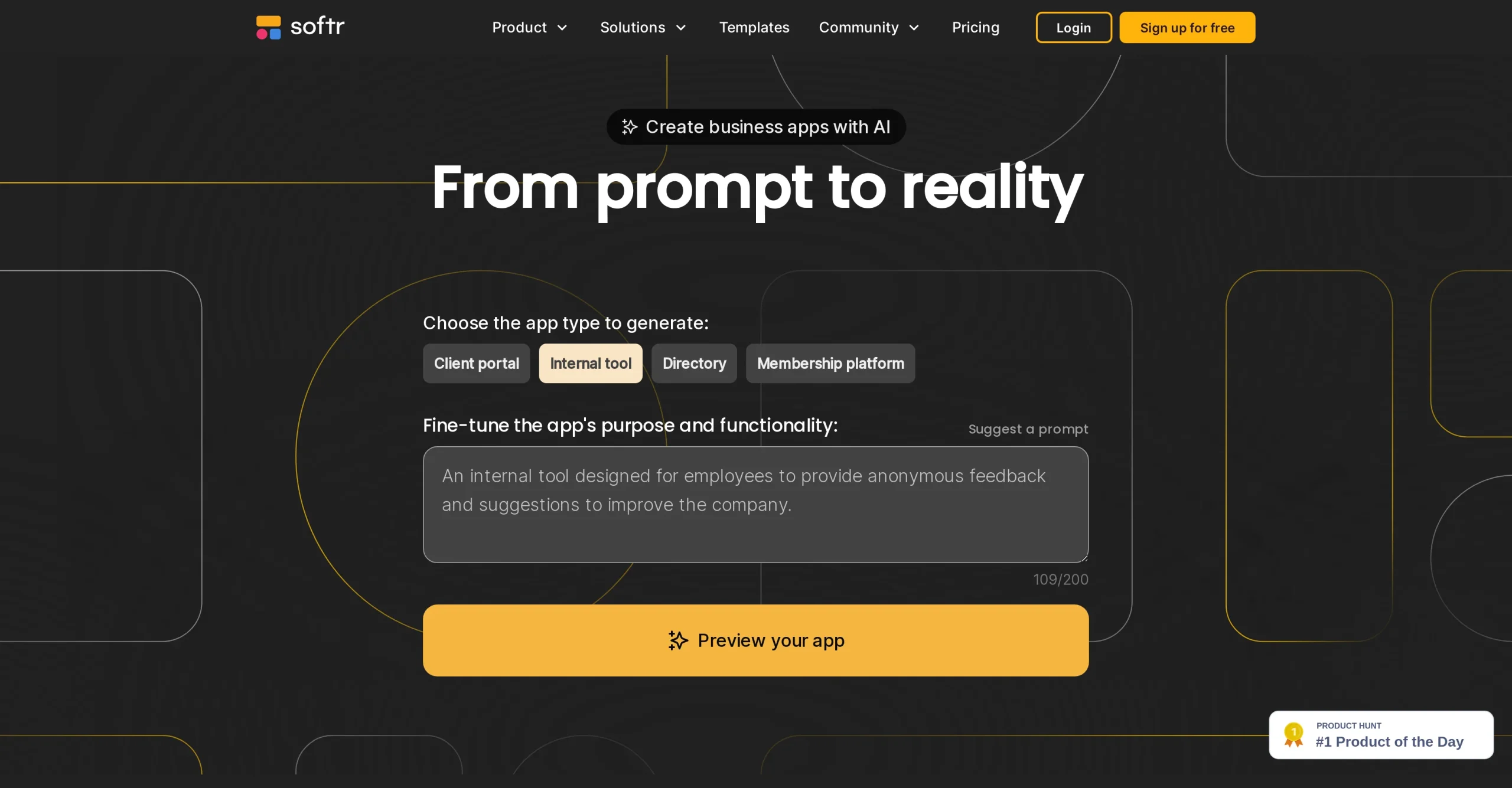
 SoftrBest for client portals, internal tools, dashboards, forms, and permission-based viewsSee the Tool Details →
Softr is most useful when a company already has data but employees and customers cannot interact with it cleanly. Instead of sharing a master spreadsheet, the company can give each user an appropriate view: sales sees open leads, operations sees assigned work, managers see bottlenecks, and clients see only their own requests.
A practical Softr project: replace the status spreadsheet
Start with one process such as client onboarding, service requests, supplier approvals, or order follow-up. Create a simple record with these fields:
- Request or opportunity ID
- Company or customer name
- Request type and priority
- Owner and due date
- Status: new, qualified, in progress, waiting, completed, or rejected
- Source and supporting link
- Last action and next action
Build three views: a submission form, an employee work queue, and a management dashboard. Add a client view only after permissions have been tested with sample accounts. The pilot is successful when employees stop maintaining a second shadow spreadsheet and managers can answer “what is blocked?” without sending a message.
Where Softr saves time
- Fewer email requests for status updates
- Less duplicate data entry across forms and spreadsheets
- Clear ownership and due dates
- Role-based views instead of sharing every record with everyone
- A reusable interface for clients, partners, or employees
Important limitation: a polished interface does not automatically make the underlying process secure or correct. Define permissions, use the minimum necessary personal data, test empty and error states, and obtain specialist review before using a no-code app for payment, employment, health, or other sensitive records.
Browse AI Review: Best for Recurring Public Web Research

 Browse AIBest for extracting structured public web data and monitoring pages for meaningful changesSee the Tool Details →
Browse AI targets a familiar operational waste: an employee opens the same pages, copies the same fields, and rebuilds the same report every day or week. Its robots can extract structured fields, run tasks, monitor pages on a schedule, preserve task history, and send results to another system through exports or supported integrations.
A practical Browse AI project: a weekly market-change report
Choose one stable public page that employees already check. Define a small data schema before training anything. For example:
- Item or company name
- Displayed price or availability
- Location or category
- Source URL
- Date checked
- Change from the previous result
Run the extraction manually first. Compare a sample against the source page, check missing values and duplicates, and document what a valid row looks like. Only then create a daily or weekly monitor. Send exceptions—not every unchanged row—to the employee who owns the decision.
What makes the automation useful
The output must trigger a business action. A price decrease may create a review task. A new listing may enter the sales queue. A product returning to stock may notify purchasing. Data that nobody reviews is not automation; it is a larger unattended spreadsheet.
Important limitation: information visible in a browser is not automatically free to collect or reuse. Review the website’s terms, access rules, privacy obligations, licensing, and the nature of the data. Avoid personal or protected information without a valid legal basis. Use a conservative schedule, identify your source, and stop the workflow if the page structure changes or results become unreliable.
Landbot Review: Best for Web and WhatsApp Qualification

 LandbotBest for lead qualification, support triage, appointment requests, and human takeoverSee the Tool Details →
Landbot helps when customer conversations are predictable at the beginning but valuable at the end. A bot can ask structured questions, validate basic contact details, answer approved frequently asked questions, route the request, and transfer the conversation to an available person.
A practical Landbot project: qualify and route inbound leads
- Ask what service or product the visitor needs.
- Collect only the minimum qualifying information, such as location, company size, timing, and preferred contact method.
- Answer a short list of approved questions about availability, process, or opening hours.
- Apply a simple rule: qualified, not ready, unsupported, or urgent human review.
- Create or update the record in the team’s approved system.
- Offer a booking step or transfer the conversation to the responsible employee.
- Show a clear fallback when no agent is available.
Do not design a bot that pretends to know everything. Add visible routes for “talk to a person,” complaints, refunds, accessibility needs, and questions outside the approved knowledge set. Review transcripts to find where users abandon the flow or repeatedly type answers the bot does not understand.
WhatsApp requirement: businesses need an appropriate WhatsApp Business setup and must follow applicable consent, opt-in, template, and messaging rules. Proactive messages may require approved templates. Human takeover should be part of the design, not an emergency patch added after launch.
How Softr, Browse AI, and Landbot Work Together
Consider a commercial property services company. Its sales team watches public listings, answers buyer questions, and tracks suitable opportunities. A practical workflow looks like this:
- Browse AI monitors approved listing pages. It extracts only the fields the company has documented and sends new or changed records to a review queue.
- An employee verifies the record. The person checks the source, removes duplicates, and approves useful opportunities.
- Softr displays approved records. Sales staff filter opportunities by region, budget, status, and owner. Managers see aging and conversion.
- Landbot qualifies inbound interest. A web or WhatsApp flow asks about location, budget, timing, and property type.
- The qualified inquiry enters the same workspace. A new record receives an owner and due date instead of disappearing into a shared inbox.
- A human handles judgment. Negotiation, unusual requirements, complaints, and sensitive decisions are transferred to an employee.
- The team measures outcomes. It tracks response time, qualified leads, hours saved, errors, and revenue—not the number of automations created.
Every record needs one source, one owner, one current status, and one next action. If the workflow cannot answer those four questions, adding another integration will make the problem harder to diagnose.
A Practical 30-Day Implementation Plan
Week 1: map and measure the manual process
- Choose one repetitive workflow with a clear owner.
- Record how many times it runs and how long each run takes.
- Count errors, missed requests, duplicate records, and delayed responses.
- Define the allowed data, prohibited data, and required approvals.
- Write the success target, such as “reduce first-response time from eight hours to one hour.”
Week 2: build the smallest working system
- Create the shared record structure and test data.
- Build the Softr work queue and management view.
- Train one Browse AI robot on one stable public source.
- Build one Landbot flow for one request type.
- Keep a manual approval before any customer-facing or high-impact action.
Week 3: test failure cases
- Use missing fields, duplicate records, changed page layouts, invalid phone numbers, and unavailable agents.
- Test every Softr role with a separate sample account.
- Confirm that Landbot can exit to a person without trapping the customer.
- Verify that Browse AI results still match the source after a scheduled run.
- Document who pauses the workflow when results are wrong.
Week 4: run a limited pilot
- Use one team, region, customer segment, or data source.
- Review the output daily during the first week.
- Collect employee and customer friction, not only positive feedback.
- Compare the new metrics with the Week 1 baseline.
- Expand only if the benefit remains after setup and maintenance time are included.
How to Calculate Whether the Automation Is Worth It
Use a simple monthly calculation:
Estimated monthly value = hours saved × fully loaded hourly cost + additional gross profit from recovered opportunities − software, setup, and maintenance costs.
Suppose four employees spend a combined 60 hours each month collecting web data, updating records, answering repeated questions, and finding request status. If the pilot saves 25 hours—not an unrealistic 60—and recovers three qualified opportunities, the company can compare that value with subscription, implementation, training, and review costs.
| Metric | Before | After | Why it matters |
|---|---|---|---|
| Manual hours per month | Baseline time log | New time log | Measures actual labor reduction |
| First-response time | Median time | Median time | Shows whether customers receive faster help |
| Qualified lead rate | Qualified ÷ total inquiries | Same calculation | Prevents celebrating low-quality volume |
| Error or rework rate | Incorrect records ÷ reviewed records | Same calculation | Exposes fragile automation |
| Unowned requests | Count per month | Count per month | Measures whether the handoff problem is solved |
| Maintenance time | Zero or current admin time | Hours spent fixing and updating | Keeps the ROI calculation honest |
Seven Mistakes to Avoid
- Buying all three tools before choosing a process. Start with the bottleneck, not the software list.
- Automating a broken process. Remove unnecessary approvals and duplicate fields before rebuilding them.
- Using scraped data without verification. Keep source URLs and review important changes.
- Giving every Softr user the same access. Test roles and row-level visibility with sample accounts.
- Building a chatbot with no human exit. Customers need a clear path for exceptions and frustration.
- Measuring activity instead of value. Robot runs and bot conversations are not business outcomes.
- Ignoring ownership. Assign one employee to maintain data fields, permissions, bot answers, and failure procedures.
Which Tool Should Your Company Start With?
| Your main bottleneck | Start with | First measurable outcome |
|---|---|---|
| Employees repeatedly copy public web information | Browse AI | Hours saved and verified change alerts |
| Records and status are scattered across spreadsheets and inboxes | Softr | Fewer status messages and fewer unowned requests |
| Repeated customer questions delay valuable conversations | Landbot | Faster first response and more qualified handoffs |
| All three problems exist | Start with the middle system of record | One reliable workflow before adding collection and conversation automation |
Frequently Asked Questions
Can a small business build this without a developer?
Yes, if the first workflow is narrow and uses standard forms, records, permissions, and integrations. A developer or security specialist may still be necessary for custom logic, regulated data, complex identity systems, high transaction volume, or mission-critical reliability.
Should we connect all three tools immediately?
No. Prove each stage independently. Confirm that Browse AI produces reliable records, Softr presents the correct data to the correct users, and Landbot routes conversations correctly. Connect the stages after the manual handoffs are understood.
Is web scraping legal?
There is no universal answer. It depends on the jurisdiction, data, access method, website terms, and intended use. Use public data responsibly, avoid personal or protected information without a valid legal basis, and obtain legal advice for high-risk or large-scale projects.
Can Landbot create a WhatsApp bot without coding?
Landbot provides a visual flow builder, but deployment still requires an appropriate WhatsApp Business setup and compliance with applicable consent, opt-in, template, and messaging rules. Plan the human takeover and agent availability before launch.
Can Softr replace custom business software?
It can replace many lightweight portals, directories, trackers, and internal tools. It is less suitable when the process needs highly specialized logic, strict performance guarantees, unusual integrations, or regulatory controls that require a custom architecture.
How long should the first pilot take?
A focused pilot can be planned, built, and measured in approximately 30 days. If the team cannot define one owner, one record structure, and one success metric during the first week, the workflow is probably too broad.
Final Recommendation
Do not begin by automating the whole company. Choose one recurring handoff where information is collected, organized, and passed to a person. Build the smallest working version, retain human review, and measure the result for 30 days.
Start with Browse AI when recurring public web research is the bottleneck, Softr when scattered records and status are the bottleneck, and Landbot when repeated customer conversations are the bottleneck. Use all three only when the shared record, ownership, permissions, and failure procedure are clear.
Build the internal portal with Softr →
Automate approved web research with Browse AI →
Design the customer flow with Landbot →
Disclosure: TaskBoosters may earn a commission when readers use certain links, at no additional cost to them. Our recommendations remain based on practical fit and independently researched product information.